SMS Consent Policy
Last updated: November 5, 2026
Vino sends SMS messages to wedding guests on behalf of the wedding host (the couple or wedding planner). This page explains the consent requirements, what guests can expect and how to opt out.
Messaging channel. Where available, Vino may support guest communication by SMS or WhatsApp. Guests only receive messages after opting in to the channel chosen by the couple and may opt out at any time by replying STOP. The same consent, opt-out and data-handling policies on this page apply to both channels.
1. For Wedding Hosts: Guest Consent Requirements
Before adding any guest to Vino, you must obtain their consent in writing to receive text messages, using the required wording below. This is required by the Telephone Consumer Protection Act (TCPA) and similar regulations.
You are responsible for obtaining consent from every guest before adding their phone number to Vino. Adding a phone number without consent may violate federal telecommunications law.
2. How to Collect Consent
Collect consent in writing in one of these ways:
- RSVP Form: Include a checkbox on your wedding RSVP form (online or paper) with the consent wording below
- Wedding Website: Add the same checkbox and wording to your wedding website's RSVP or information page
The checkbox must be unticked by default and optional to tick: a guest can attend without agreeing to texts. Keep a record of each guest's consent.
Our guest text opt-in form shows exactly what this looks like. Couples can use it as it is or put the same wording on their own form.
3. How Hosts Confirm Consent in the Dashboard
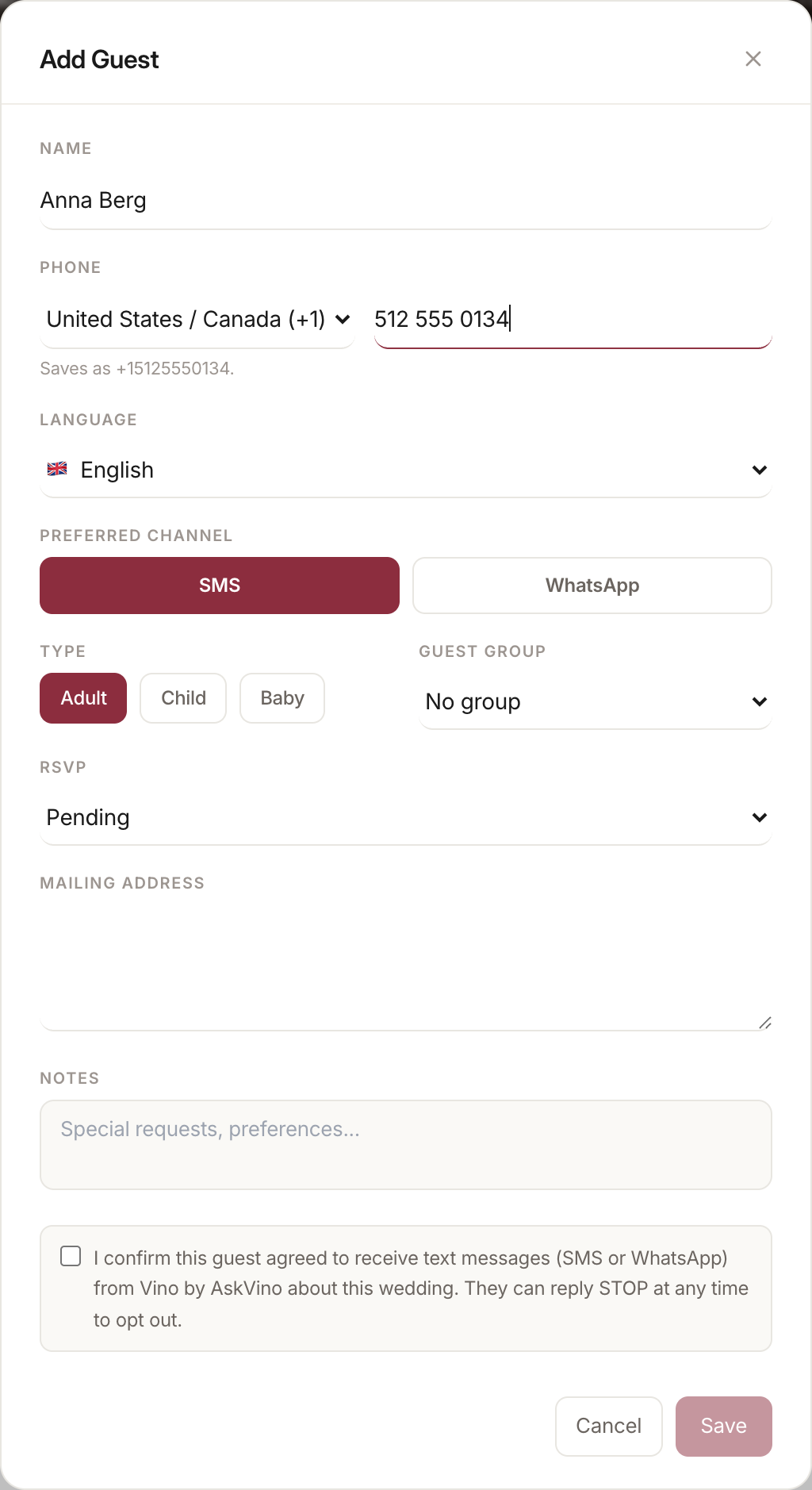
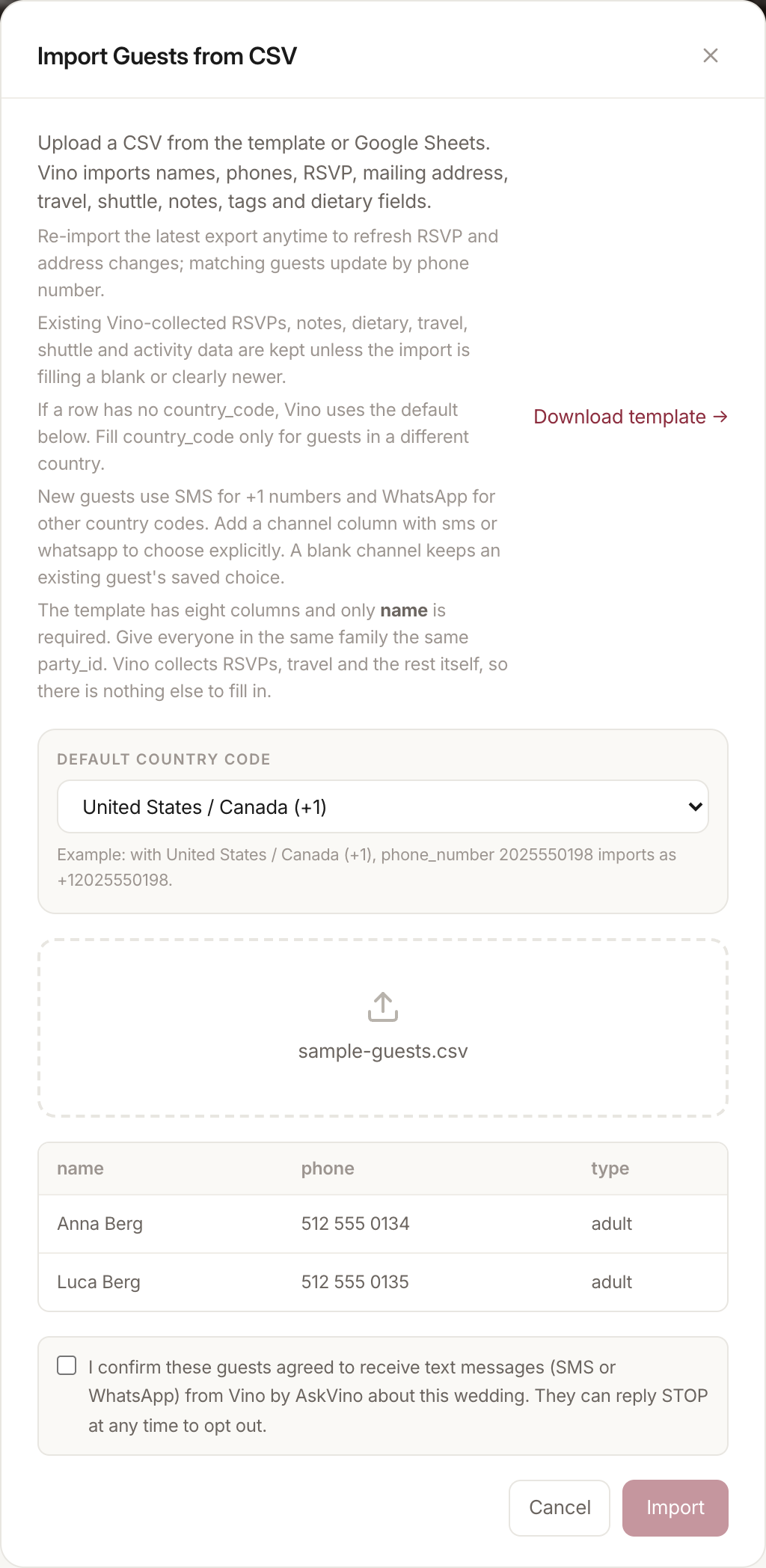
When a couple or planner adds a new guest with a phone number or imports a guest list, the AskVino dashboard asks them to confirm that each guest agreed to receive text messages from Vino by AskVino about the wedding. Save and Import stay disabled until the box is ticked. Our server also refuses the guest or the list without this confirmation. Each confirmation is recorded with the date. A guest who has replied STOP stays opted out even if they are imported again.
4. What Guests Receive
Guests who are added to Vino may receive:
- A welcome message introducing the concierge
- Travel and shuttle coordination messages
- Schedule and event reminders
- Payment links for accommodations and activities
- Departure coordination messages
- Voice memory and photo sharing invitations
- Automated responses to their questions about the wedding
Message frequency varies with the wedding schedule and with how often a guest texts Vino. Messages can start months before the wedding (for example with a save-the-date) and end 7 days after it.
5. Message Monitoring Disclosure
All SMS conversations between guests and Vino are:
- Automated processing - Messages are analyzed using automated systems (including AI technology) to generate helpful responses. Guest conversations are not used to train artificial intelligence models, whether by AskVino or by our AI provider
- Stored in our database - Conversation history is retained to provide consistent, context-aware responses
- Limited personnel access - AskVino personnel access a conversation only to resolve technical issues, respond to support requests, verify that a guest's request was handled correctly, or respond to a message that requires human attention, such as a guest requesting assistance. Conversations are not otherwise monitored or reviewed
Wedding hosts cannot read conversation transcripts. They see the information Vino collects for them (such as RSVPs, dietary needs, meal selections and mailing addresses). They also see requests a guest asks Vino to pass on to them, in the guest's own words, as well as the topics guests asked about. Full message histories are accessible only to AskVino personnel.
6. How to Opt Out
Guests can opt out of Vino messages at any time by:
- Replying STOP to any Vino message
- Contacting the wedding host directly and asking to be removed
- Emailing [email protected]
After opting out, the guest will receive no further messages from Vino for that wedding.
For help at any time, guests can reply HELP to any Vino message or email [email protected].
7. Data & Privacy
Guest phone numbers and message data are handled in accordance with our Privacy Policy. We do not sell guest data or use it for marketing purposes unrelated to the wedding.
8. For Guests: Your Rights
As a wedding guest receiving Vino messages, you have the right to:
- Opt out at any time by replying STOP
- Get help at any time by replying HELP
- Request deletion of your data by emailing [email protected]
- Ask questions about how your data is used
- Know that responses are automated
9. Carrier Disclaimer
Message and data rates may apply depending on your carrier and phone plan. AskVino is not responsible for carrier charges. Supported carriers include all major US and international carriers that support standard SMS.
10. AskVino's Own Marketing Texts
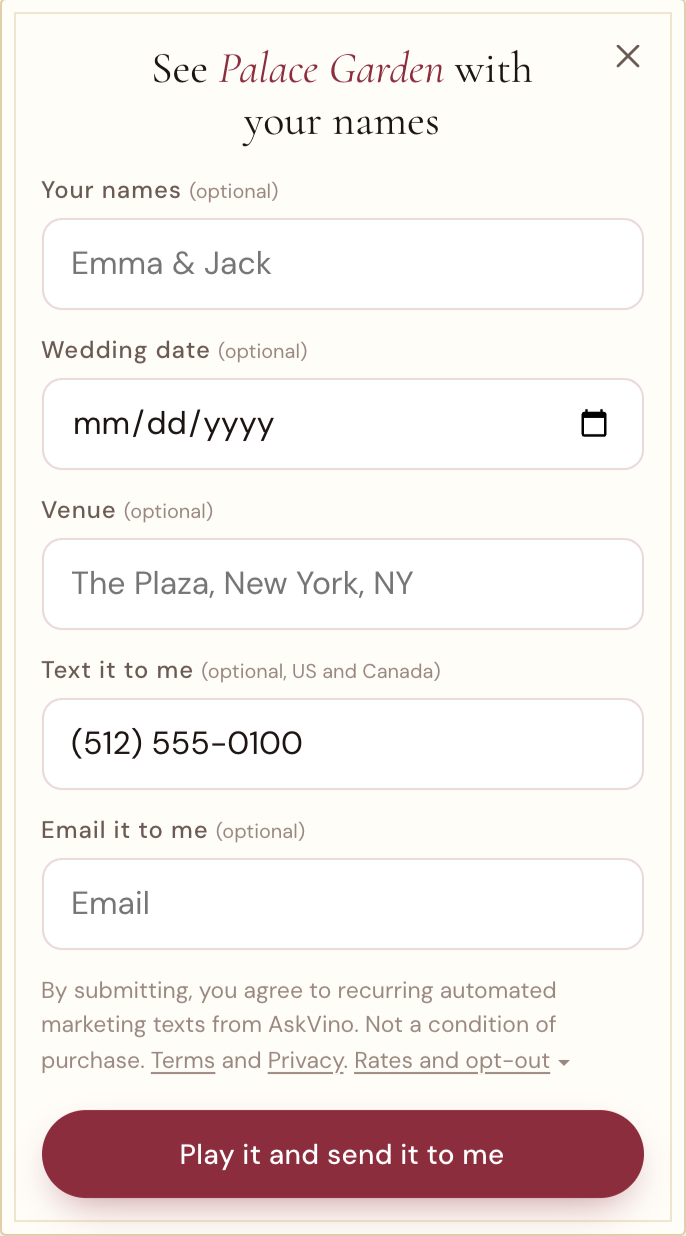
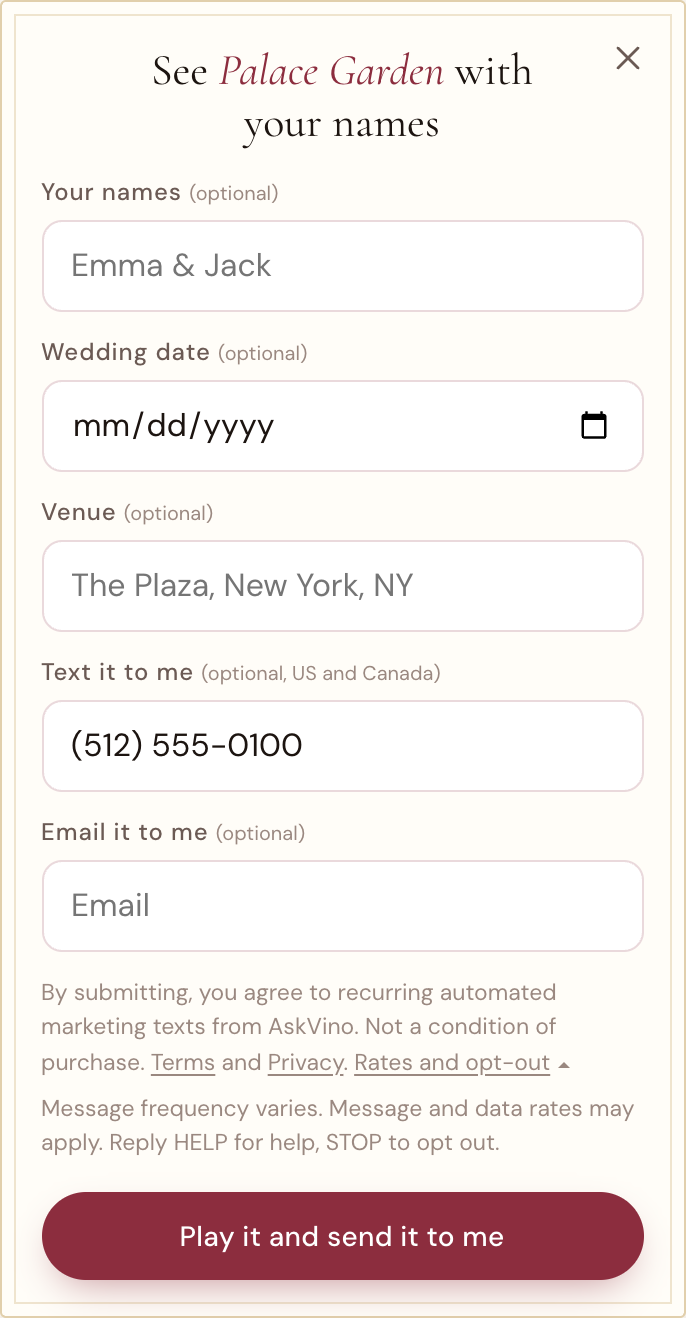
This is separate from wedding messages. Couples planning a wedding can ask for a sample design by text on our save-the-dates page or our invitations page. They tap "See it with your names" and type their own mobile number in the optional "Text it to me" field. With the field empty the sample still plays and no text is sent. Once a number is typed, these words appear above the button:
To see the form open with every word showing, without typing anything: askvino.com/digital-save-the-dates/?optin=1 or askvino.com/digital-invitations/?optin=1.
An email address has its own optional field and its own separate words, so agreeing to texts is never tied to email. The "Send it to me" form and the "Not ready yet?" form on those pages use the same field and the same words. We keep a record of each opt-in: the number, the time, the page and the exact words shown. The first text repeats the disclosures. Opt-in data and consent are never shared with third parties or affiliates. Wedding guests never receive these texts.
11. Contact
Questions about SMS consent or our messaging practices?
Email: [email protected]
Phone: (800) 509-4579