Capturing wedding memories from your guests
Your photographer captures the ceremony. But the candid moments, the heartfelt words, the inside jokes from your college roommate's toast - those come from your guests. Here's how to collect, preserve and treasure every one of them.
Last updated: April 2026
Why guest memories matter more than you think
Your professional photographer will deliver 800 stunning, perfectly lit images. But they won't capture your grandmother wiping away a tear during the first dance, or the view from your college friend's table during the toasts, or the blurry-but-perfect photo of your flower girl stealing cake from the dessert table.
Guest photos and messages capture the wedding from every angle - literally and emotionally. They show you what the day looked and felt like from the perspective of the people who came to celebrate with you. Years from now, these candid moments will mean as much as the professional shots.
The challenge is collecting them. Left to their own devices, guests will take hundreds of photos on their phones, maybe post a few to Instagram and the rest will sit in their camera rolls until they run out of storage and delete them. Voice messages - toasts, well-wishes, funny stories - are even harder to capture. They happen in the moment and then they're gone.
Collecting guest photos: every approach compared
The physical photo booth
Photo booths have been a wedding staple for years and for good reason. They're fun, they give guests a physical keepsake (the strip of photos) and they naturally encourage silly, candid moments. But they have limitations:
- They capture posed moments, not candid ones - you won't get the spontaneous dance floor shots
- They're location-bound - whatever happens away from the booth isn't captured
- Rental costs typically range from $500-$1,500 for a few hours
- The photos are often low-resolution and hard to collect digitally afterward
- They only work during the reception - not during the ceremony, getting-ready moments, or next-day brunch
Photo booths are wonderful for entertainment, but they shouldn't be your only strategy for collecting guest memories.
Shared albums (Google Photos, iCloud, etc.)
Creating a shared Google Photos album or iCloud shared album and distributing the link to guests is the most common digital approach. It's free, most guests already have the app and photos are uploaded in full resolution. The issues emerge in practice:
- Google Photos requires a Google account; iCloud requires an Apple device - neither is universal
- Sharing links often break or expire
- Guests forget the link exists by the time they're at the wedding
- Uploads require the guest to actively open the app, find the album and add photos - multiple steps that many skip
- No way to send reminders through the album itself
Shared albums work well for small, tech-savvy guest lists. For larger or more diverse groups, adoption drops sharply.
The upload gap: On average, only 15-25% of wedding guests who are given a shared album link actually upload photos to it. The rest intend to but forget, find the process cumbersome, or simply don't get around to it. Making the upload process as frictionless as possible is the single biggest factor in how many guest photos you'll collect.
Dedicated photo-sharing apps
Apps like The Guest, WedShoots and Capsule are built specifically for wedding photo collection. They offer features like custom album covers, QR codes for the reception and automatic organization by time and location. However, they share the fundamental limitation of all app-based solutions: guests have to download something.
At a wedding, asking guests to pause, go to the App Store, download an app, create an account and then take photos is a big ask. Some will do it. Many won't. The guests who are most engaged in the celebration - the ones having the best time, capturing the most genuine moments - are the least likely to stop and download an app.
QR code upload pages
A newer approach: place QR codes on tables or printed cards that link to a web-based upload page. No app download required - guests scan the code, their browser opens and they can upload photos directly. This dramatically lowers the friction barrier compared to apps or shared albums.
The best implementations of this approach use a simple, mobile-optimized upload page that works on any phone. Guests scan, tap "choose photos," select from their camera roll and they're done. The photos go directly to a central gallery the couple can access later.
Timing matters: Don't just put QR codes on the dinner tables. By the time guests sit down, they've already taken photos during the ceremony, cocktail hour and arrival. Send them the upload link before the wedding and again the morning after - that's when they're most likely to browse through their camera roll and share.
SMS-based photo collection
The simplest approach of all: guests text their photos to a number. No app, no QR code, no shared album link to remember. If they can text, they can share photos. This works on every phone - smartphones, older phones, any carrier, any country.
The advantage is zero friction. Guests are already texting during the wedding (checking in with babysitters, coordinating with other guests, sharing their excitement). Adding photos to those texts is natural. The photos land in a central gallery that the couple accesses through an admin panel.

Voice messages: the memory most couples miss
Photos capture how things looked. Voice messages capture how things felt. A photo of your best friend at the reception is lovely. A 60-second voice recording of them telling the story of how you met, laughing through tears, is irreplaceable.
Why voice messages are becoming a wedding trend
Traditional guest books collect signatures and one-line messages that, honestly, most couples never read again. "Congratulations! Love, the Johnsons" doesn't carry much emotional weight ten years later. But hearing Aunt Linda's voice crack as she says how proud she is? That's a moment preserved in time.
Voice messages also capture the personality of each guest in a way that written messages can't. The laughter, the pauses, the inflection, the background noise of the party - it all becomes part of the memory. A written "I'm so happy for you" and a spoken "I'm so happy for you" are fundamentally different experiences.
How guests record voice messages
There are several ways to collect voice recordings from guests:
- Audio guest book stations - a physical phone or microphone set up at the reception where guests record messages. Fun and visible, but limited to the reception venue and often results in short, rushed messages recorded in a noisy environment.
- Voicemail lines - a phone number guests can call to leave a message. Simple and universal, but voicemails feel impersonal and guests rarely call unless prompted.
- Web-based recording pages - a link that opens a recording interface in the guest's browser. No app download, works on any smartphone and guests can record from anywhere - not just at the reception. They can record a thoughtful message from their hotel room after the celebration, when emotions are high and the noise is low.
The quiet moment: The best guest voice messages aren't recorded at the loud reception. They're recorded the morning after, when your friend is sitting in their hotel room, still emotional from the night before and has the space to say something real. Give guests a way to record on their own time, not just at a station during the party.
The vinyl LP keepsake
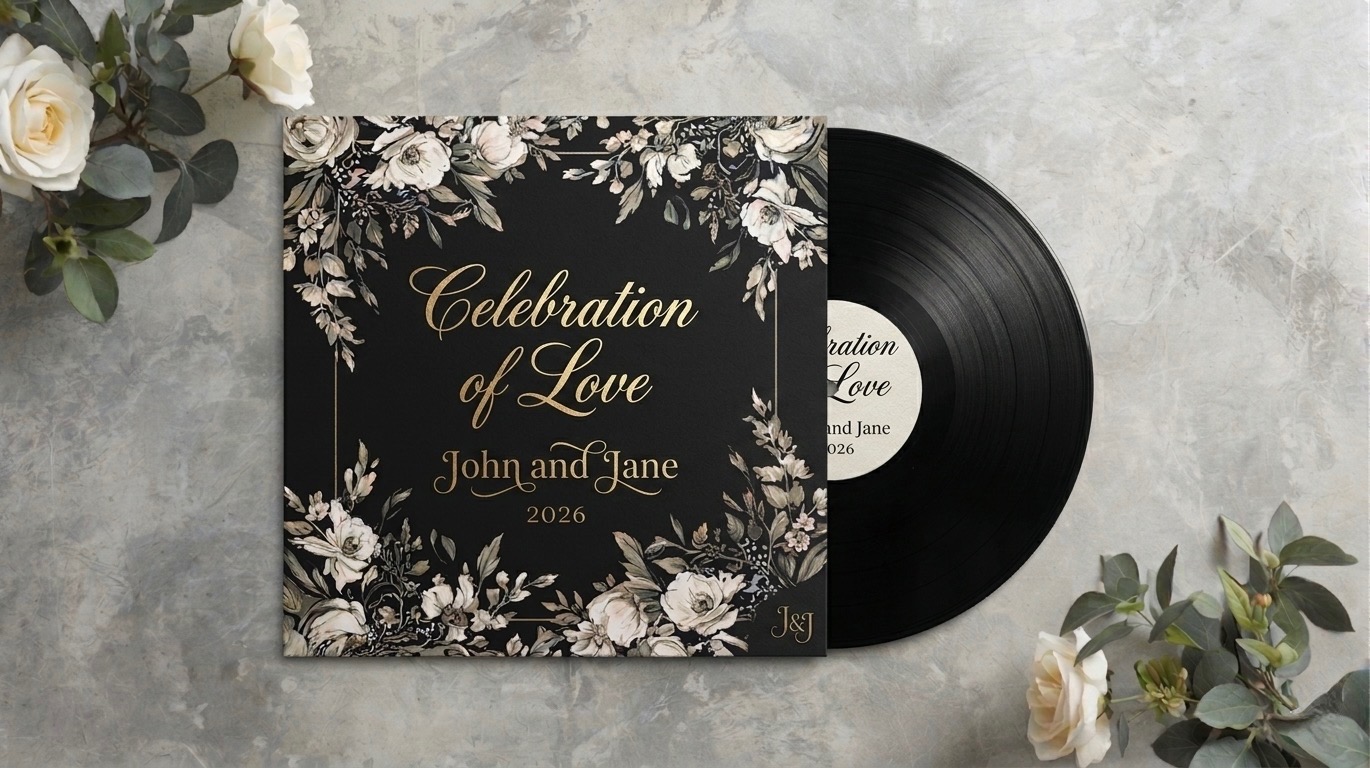
One of the most meaningful things you can do with guest voice recordings is press them onto a vinyl record. Imagine this: a year after your wedding, you put a record on the turntable and hear your father's toast, your best friend's laughter, your grandmother saying she loves you - all on a physical LP you can hold, display and play for decades.
Several services now offer custom vinyl pressing from audio files. The typical process is: collect voice recordings from guests, curate and arrange them, send the audio files to a pressing service and receive your custom LP in 4-8 weeks. Costs range from $150-$500 depending on the service and quantity.
This transforms digital voice recordings from files on a hard drive into a tangible, beautiful object. A vinyl record on a shelf is a conversation piece. It's a wedding keepsake that doesn't sit in a box - it gets played, shared and treasured.
Making it easy for guests
The single most important factor in collecting guest memories - whether photos or voice messages - is reducing friction. Every additional step you add (download an app, create an account, find the link, navigate to the right page) reduces participation by 30-50%.
The fewer steps, the more memories
Compare these two experiences:
High friction: "Download the WeddingSnaps app from the App Store, create an account with your email, enter the wedding code SMITH2026, navigate to the photo section and upload your photos."
Low friction: "Text your photos to this number."
The first requires 5-6 steps and assumes the guest has a smartphone with app store access. The second requires one step and works on any phone. The difference in participation isn't incremental - it's dramatic.
Remind, don't nag
Guests take most of their wedding photos during the event but upload them days or weeks later (if ever). A gentle reminder the morning after the wedding - "Had a blast last night! Share your photos:" with a link - catches guests while the memories are fresh and their camera rolls are full. A second reminder a week later catches the stragglers.
For voice messages, the best time to prompt guests is the day after the event. They've had the emotional experience, they're reflective and they have quiet time to record something meaningful. A text that says "We'd love to hear from you - record a message for us" with a direct link gets far better results than a card on a table at a loud reception.
Cover the full timeline
Wedding memories don't start at the ceremony and end at the last dance. Some of the best guest photos come from:
- The welcome dinner or pre-wedding events
- Getting ready together at the hotel
- The ceremony from the guest's perspective
- Candid cocktail hour moments
- The dance floor at midnight
- The farewell brunch the next morning
- The journey home - airport selfies, group photos at the gate
A photo collection tool that only works at the reception misses most of these moments. Choose something that guests can use throughout the entire wedding weekend.
Preserving memories after the wedding
Collecting guest photos and voice messages is only half the job. Preserving them matters just as much.
Don't rely on free cloud storage
If your guest photos live in a shared Google Photos album, they'll eventually be deleted when someone's storage fills up, or when Google changes its policies, or when the album creator closes their account. Download everything and keep local backups.
Organize while it's fresh
A folder with 400 guest photos labeled IMG_4521 through IMG_4920 is not a memory collection - it's a chore. Take time within the first month after the wedding to organize photos by event (welcome dinner, ceremony, reception, next-day) and tag the guests in them. Your future self will thank you.
Create something physical
Digital files feel disposable. Physical objects feel permanent. Consider turning your guest photo collection into a printed album and your voice recordings into a vinyl LP or framed audio waveform. These become heirlooms - things you display in your home, show to your children and treasure for decades.
The 30-day rule: Whatever you're going to do with your guest memories - download, organize, print, press to vinyl - do it within 30 days of the wedding. After a month, the momentum fades, the task feels overwhelming and those precious files sit untouched on a server somewhere. Set a calendar reminder for one month after your wedding to finalize your memory collection.
Building your memory collection plan
Here's a practical plan for collecting the most guest memories with the least effort:
- Before the wedding: Set up a photo upload link and voice recording link. Send both to your guest list with a brief explanation of what you're collecting and why.
- At the welcome dinner: Mention that you'd love guests to share photos and record messages. Keep it casual - a brief note in a welcome packet or a mention during a toast.
- During the wedding: Have the upload and recording links visible (table cards, signage) but don't push it. Guests should be present, not on their phones.
- Morning after: Send a text with the photo upload link and voice recording link. This is your highest-participation moment.
- One week later: Send a final reminder. This catches the guests who meant to share but got busy after returning home.
- Within 30 days: Download everything, organize and create your physical keepsakes.
Your guests, taken care of
Vino's photo gallery and voice memory add-ons let guests share photos by text and record heartfelt messages from any phone - no app required. Collect everything in one place, then turn voice recordings into a vinyl LP keepsake.
Learn moreMore wedding planning guides
- How to choose a wedding guest communication tool
- How to communicate with destination wedding guests
- How to collect payments from wedding guests
- Multilingual wedding communication
- Destination wedding logistics checklist